




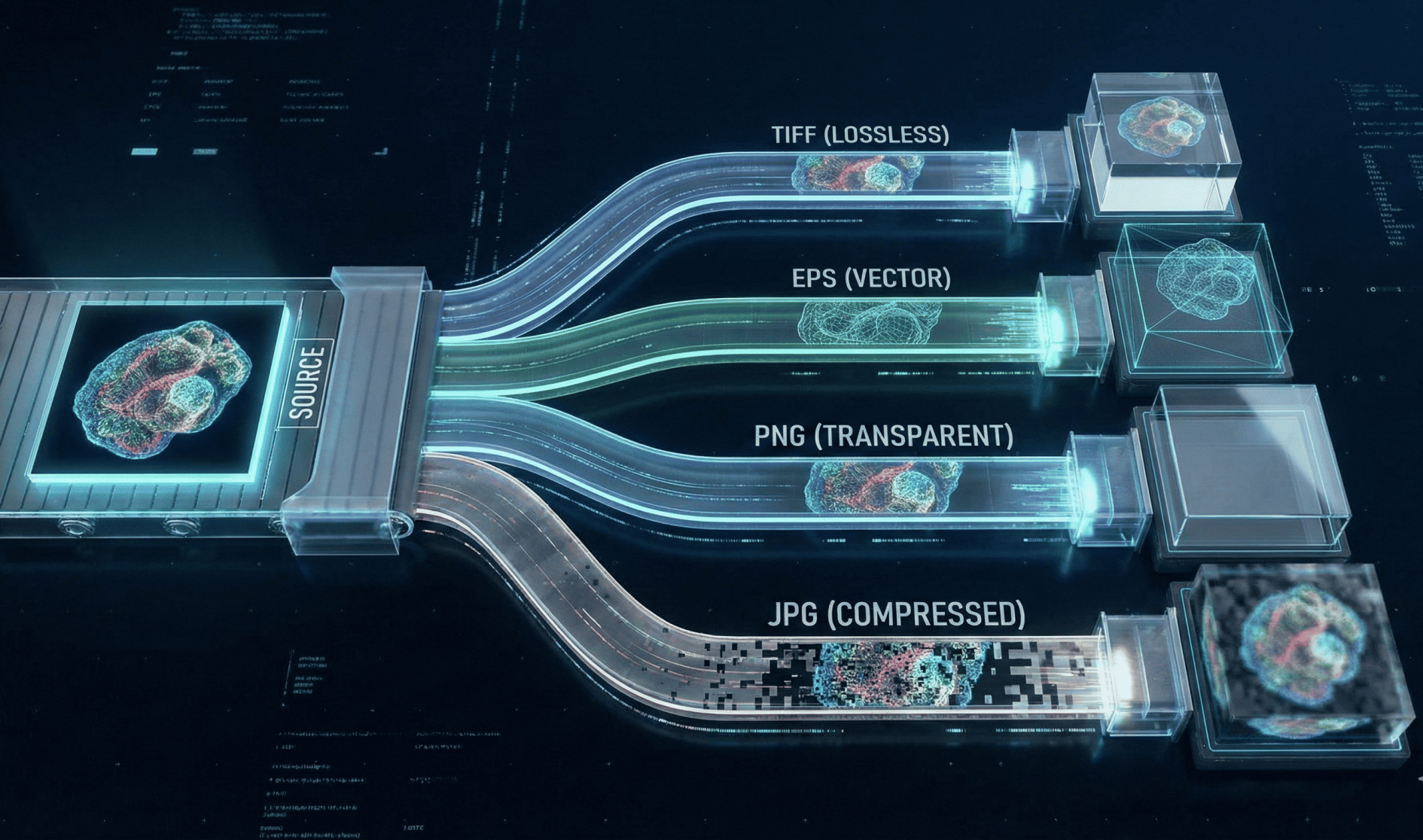
High-quality figures raise a manuscript’s chance of clear communication and timely publication; conversely, poor artwork is a frequent cause of resubmission requests and production delays. Journals routinely ask for higher-resolution replacements or different file types during production, and many publishers set minimum resolution and format rules to ensure reproducible print and online output.
This article explains:
- What each common file format (JPG, TIFF, EPS, PNG) is best used for
- How resolution and compression affect image quality
- Practical steps authors can follow to prepare submission-ready figures
Why Format Choice Matters
Image formats differ along two key dimensions:
- Vector vs. raster
- Lossy vs. lossless compression
Vector formats (e.g., EPS, PDF, SVG) store images as mathematical descriptions and scale without loss of quality. Raster formats (e.g., TIFF, JPG, PNG) store images as pixels and depend on resolution and dots per inch (dpi) at final print size.
Publishers convert submitted figures into production-ready PDFs and printing color spaces. Choosing the wrong format or compression level increases the risk of blurred labels, jagged lines, and replacement requests during production.
Key Concepts: Vector vs. Raster, Color Spaces, DPI, Compression
- Vector images
Store shapes, lines, and fonts mathematically; resolution independent and ideal for charts, schematics, and chemical structures. Save as EPS or PDF with fonts embedded or text converted to paths. - Raster images
Store pixels; quality depends on pixel dimensions and dpi at final print size. Always verify dpi at the final output size. - Color spaces
Most journals request RGB or grayscale at submission and convert to CMYK for print. PNG does not support CMYK natively, which can limit print workflows. - Compression
Lossless compression (TIFF with LZW/ZIP, PNG) preserves all data. Lossy compression (JPEG) discards data and can damage fine lines and text.
When to Use TIFF
TIFF is the preferred standard for high-quality raster figures in scholarly publishing.
Use TIFF for:
- Photographs (micrographs, gels)
- Images with complex tonal variation
Best practices:
- Save uncompressed or with lossless LZW or ZIP compression
- Ensure required dpi at final print size
- Check that annotations and labels remain sharp
Many journals explicitly request TIFF for halftone and combination artwork.
When to Use JPG (JPEG)
JPEG is optimized for continuous-tone photographs and produces smaller file sizes.
Use JPEG:
- Only for photographic images where minor artifacts are acceptable
Avoid JPEG for:
- Graphs
- Line drawings
- Images containing text or sharp edges
If using JPEG:
- Save at the highest quality setting
- Avoid repeated open–save cycles
- Keep an uncompressed TIFF or raw original as backup
When to Use EPS (and Other Vector Formats)
EPS (and increasingly PDF or SVG) is ideal for:
- Diagrams
- Charts
- Maps
- Line illustrations
Advantages:
- Scales without quality loss
- Resolution independent for vector elements
Key requirements:
- Embed or outline fonts
- Ensure any embedded raster images meet dpi requirements
- Retain editable source files (.ai, .cdr, ChemDraw)
Many publishers now prefer PDF for submission, but EPS remains widely accepted.
When to Use PNG
PNG is a lossless raster format commonly used for:
- Web figures
- Screenshots
- Graphics requiring transparency
Advantages:
- Preserves sharp edges better than JPEG
- Lossless compression
Limitations:
- RGB-only (no native CMYK support)
- Not always ideal for print-focused submissions
For print:
- Prefer TIFF for raster images
- Prefer EPS/PDF for vector images
Resolution Guidelines: What Journals Typically Require
Publisher-backed baseline requirements:
- Color and grayscale photographs (halftones): ≥300 dpi
- Combination artwork: 600–900 dpi
- Line art and monochrome figures: 1,000–1,200 dpi
Always create figures at final print size and verify dpi using:
pixels = inches × dpi
Upscaling low-resolution images cannot restore lost detail.
Compression and File-Size Considerations
- Use lossless compression for TIFF (LZW or ZIP)
- Use PNG for lossless web images
- Use JPEG only when necessary and at maximum quality
- Avoid repeated JPEG saves
- Follow journal file-size limits when specified
Practical Export and Submission Tips
- Create figures at final print size; downscaling preserves quality better than upscaling
- Retain editable originals (Illustrator, PowerPoint, ChemDraw, raw instrument files)
- Embed fonts or convert text to outlines in vector files
- Flatten layers and save high-resolution TIFFs for raster images
- Use standard fonts (Arial, Helvetica, Times New Roman) and ensure readability
- Upload figures as separate files unless instructed otherwise
Common Mistakes and How to Avoid Them
Common issues include:
- Submitting screen-resolution images (72–96 ppi)
- Saving charts as JPEGs
- Inconsistent resolution across multi-panel figures
Prevention tips:
- Check figures at 100% of final size
- Follow journal author guidelines
- Use clear file naming (e.g., Fig1_TIFF.tif)
- Place captions in the manuscript file unless instructed otherwise
Action Checklist Before Submission
- Confirm journal-specific format and dpi requirements
- Save vectors as EPS or PDF with embedded fonts
- Save raster images as TIFF with lossless compression
- Retain original source files and edit history
- Verify legibility, line thickness, and color accessibility
Conclusion
Choosing the appropriate format—vector (EPS/PDF) for diagrams and raster (TIFF for print photos, PNG for lossless web images, JPEG only when file size is critical)—and ensuring correct dpi and compression significantly reduces production delays.
Authors who follow publisher guidance, retain source files, and check figures at final size minimize resubmission risk. For hands-on assistance, professional artwork-editing or publication-support services can help ensure figures meet journal specifications. Enago’s Artwork Editing and Publication Support services assist with dpi checks, color space conversion, font embedding, and submission-ready formatting.

Frequently Asked Questions
Which file format do journals prefer for figures?▼
Most journals prefer TIFF for raster images and EPS or PDF for vector graphics because these formats preserve quality during production.
When should authors use TIFF instead of JPEG?▼
TIFF should be used for photographs and microscopy images because it supports high resolution and lossless compression, unlike JPEG.
Why do journals prefer EPS or PDF for graphs and diagrams?▼
EPS and PDF are vector formats that scale without quality loss, making them ideal for charts, diagrams, and line art.
Is PNG acceptable for journal figure submission?▼
PNG may be accepted for web-focused figures, but TIFF or EPS is usually preferred for print and production workflows.
How does compression affect journal figure quality?▼
Lossy compression, such as JPEG, discards image data and can blur text and lines, while lossless formats preserve full detail.
Can using the wrong file format delay publication?▼
Yes, incorrect file formats often lead to replacement requests, resubmission, or delays during journal production.


